
help
Coming to Pocket Orbit
Use an Existing Markdown Vault
Try an existing Markdown folder safely. Work on a copy, make one edit and compare the files.
Your local workspace. Your own files. Availability →
Written and reviewed by the Pocket Orbit Product TeamUpdated October 18, 2026
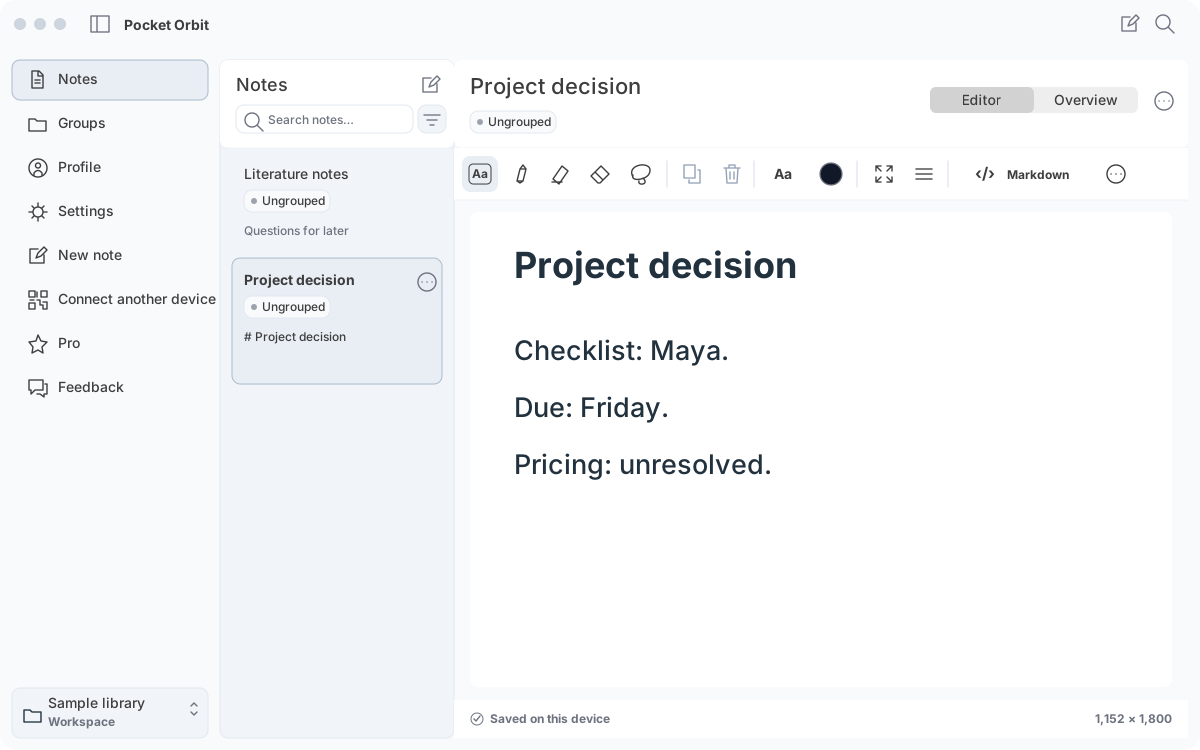
Your note and its Markdown, side by side.
App interface with example contentThe Pocket Orbit workflow
Pocket Orbit01 / 05
01
Which version does this guide describe?
Follow this guide in your Pocket Orbit workspace. You can also open the sample material in an ordinary Markdown editor.
02
1. Keep a separate backup.
Copy the whole folder, including linked assets and any companion files. Do not treat a synchronised folder as your only backup. Keep the original apart from the test copy.
03
2. Choose representative notes.
Include frontmatter, aliases and tags, headings, links, a block reference, relative attachments and a Unicode filename. Add any important plugin syntax you actually use.
The sample vault is synthetic and intentionally small. It provides examples to inspect; it is not a certificate for your own vault.
04
3. Confirm folder access.
Choose the folder deliberately and check what the app adds during adoption. Existing text and metadata should remain understandable, and any original backup should remain available.
Mac folders, iPad Files providers and iCloud can have different availability and permission behaviour. Check the provider permissions before opening a folder and keep a separate backup.
05
4. Edit and reopen.
Make a small change, reopen the note and inspect it in the other editor. Verify a heading, a link and an attachment. Check that positioned content and original ink remain with their companion.
If two applications edit at once, inspect how conflicts are preserved. Stop if a change is silently overwritten or source files become unavailable.
06
5. Record the exact combination.
Write down app versions, operating system, provider and the note features tested. Mark untested combinations separately.
A successful Markdown round trip does not establish editable ink interoperability or support for all Obsidian plugins. Use the compatibility worksheet to keep those results distinct.
07
Run a reversible folder test
Copy a representative folder with a Unicode filename, a relative image, a reference link and a plugin-specific block. Record the untouched originals. Change one heading, reopen externally, and compare only the intended edit. An unsupported embed remains a compatibility finding, not proof the whole vault is supported.
Sources and editorial review
Written and reviewed by the Pocket Orbit Product Team · Updated October 18, 2026
Editorial trustSources, method, and update policy
Product claims are checked against the current app. Competitor claims use dated official sources. Corrections can be sent to alpaca-labs.dev@proton.me.
Keep going
Related evidence and next steps
resource
Markdown workspace compatibility checklist
Explore workflow →research
How we test file preservation
Explore workflow →Try one small, checkable workflow
Start with the sample workspace and check the requirements for your Mac.