
Automatic note organization

Capture first. Sort later.

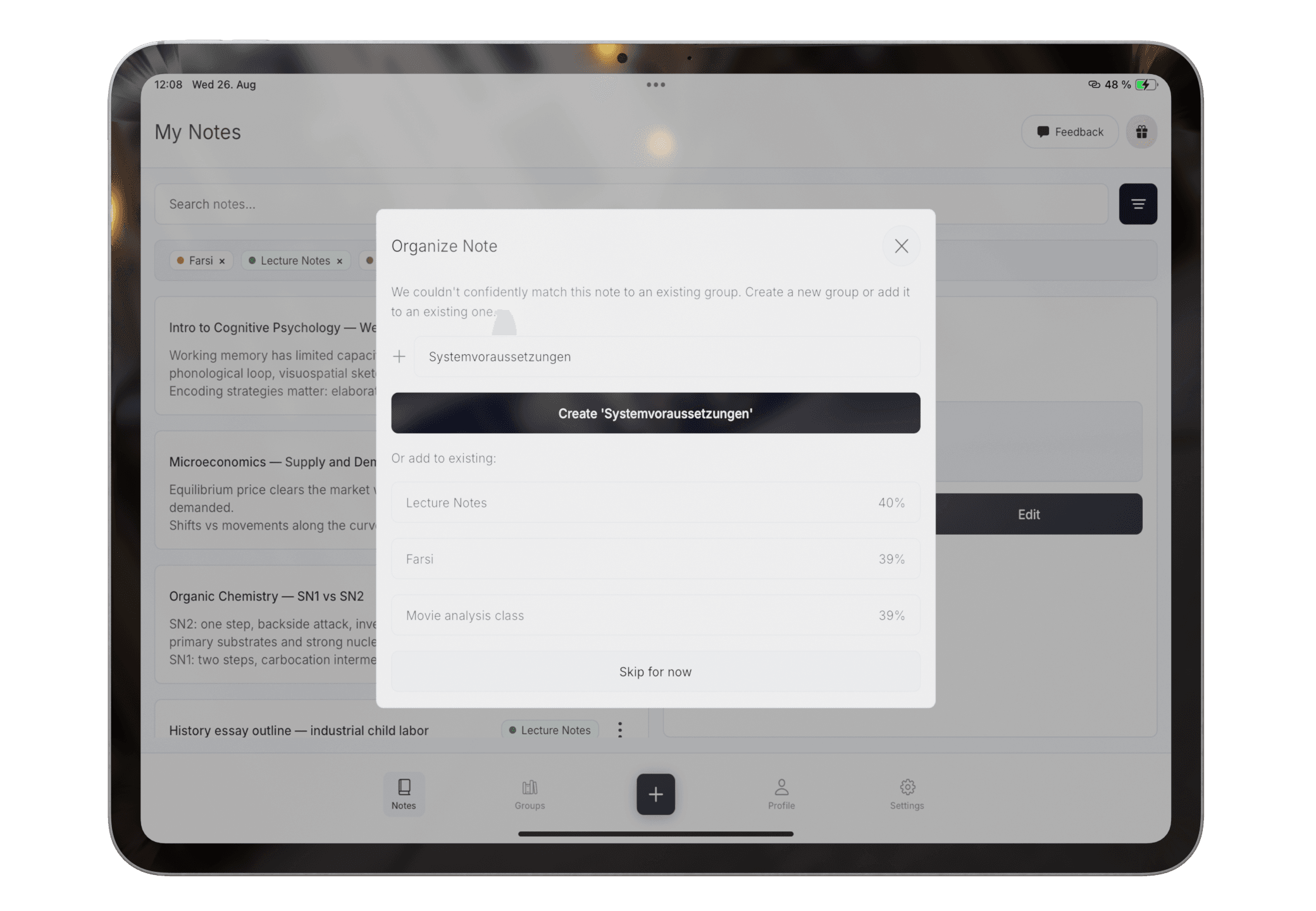
Let the note exist before deciding where it belongs. Pocket Orbit suggests a group, and you keep control when the context is ambiguous.

Best for

  • + Quick capture before filing
  • + Mixed Type, Scan, and Draw notes
  • + People who avoid complex setup

Not designed for

  • - Building a company wiki
  • - Database-heavy project management
  • - A rigid folder-only archive
Practical workflow

The process, step by step

  1. 1Capture a note before worrying about its final location.
  2. 2Review the suggested group.
  3. 3Correct the destination when context is missing.
  4. 4Use the clean group for review, summary, or export.

The maintenance trap

A note system should not become another subject to study

01

Folders interrupt capture

Choosing the perfect destination before writing can slow down the moment that matters.

02

Inboxes accumulate

Fast capture works until the unsorted material becomes harder to revisit than the original source.

03

Context can be ambiguous

One note may belong to several topics, so an automatic suggestion still needs human review.

Lightweight structure

Capture in any mode, then review one clear suggestion

Do not stop to build a workspace

Type, scan, or draw the material while it is still in front of you.
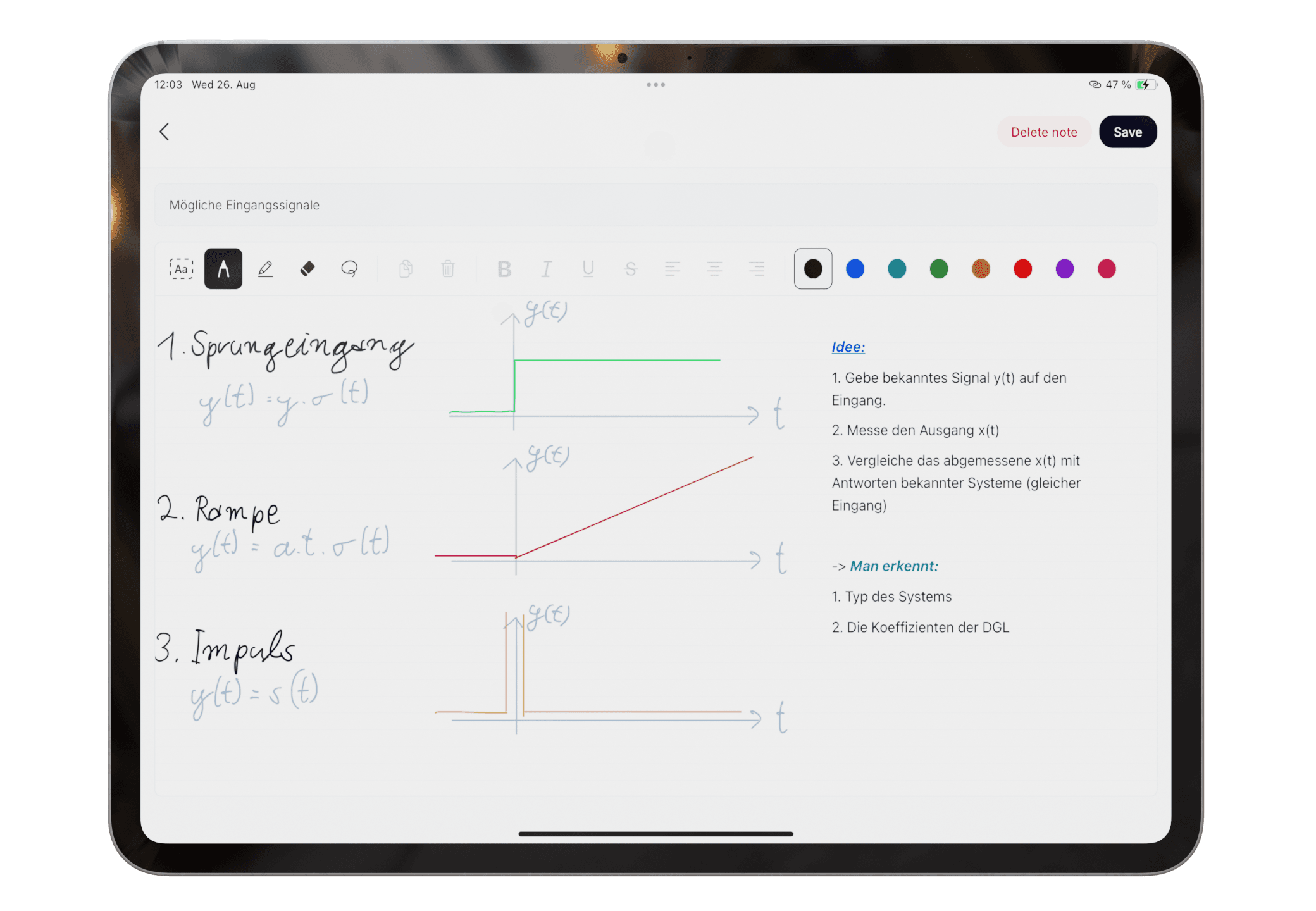
A newly captured mixed-input note in Pocket Orbit

Before and after

Turn an unsorted capture stream into material you can study

The suggestion reduces setup, but does not pretend that every note has one objectively correct destination.

  • Mixed Type, Scan, and Draw notes can share a workflow
  • Suggestions remain reviewable
  • Groups can become the basis for summary and export
Read the exact help steps
Organized note groups in Pocket Orbit
Questions

Frequently asked questions

Can I correct the suggested organization?

Yes. Organization should be reviewed when a note could reasonably belong to more than one topic.

Is this the same as a Notion database?

No. Notion is designed for configurable workspaces and databases. Pocket Orbit prioritizes quick student capture and lighter organization.

Editorial trust

Sources, method, and update policy

Product claims are checked against the current app. Competitor claims use dated official sources. Corrections can be sent to alpaca-labs.dev@proton.me.

Keep going

guide

How to Organize Handwritten and Digital Class Notes

A practical capture, review, group, summarize, and export system for mixed handwritten and digital notes.

Read guide

help

Organize Mixed-Input Notes

Review group suggestions for notes captured by Type, Scan, or Draw.

Read help

resource

Weekly Note Organization Checklist

A lightweight weekly checklist for reviewing, grouping, summarizing, and exporting student notes.

Read resource

Try the Type, Scan, and Draw workflow

Download Pocket Orbit from the App Store, then use the linked help articles to test it with your own notes.

Download Pocket Orbit on the App Store