
feature
AI Note Taking on iPad for Student Workflows
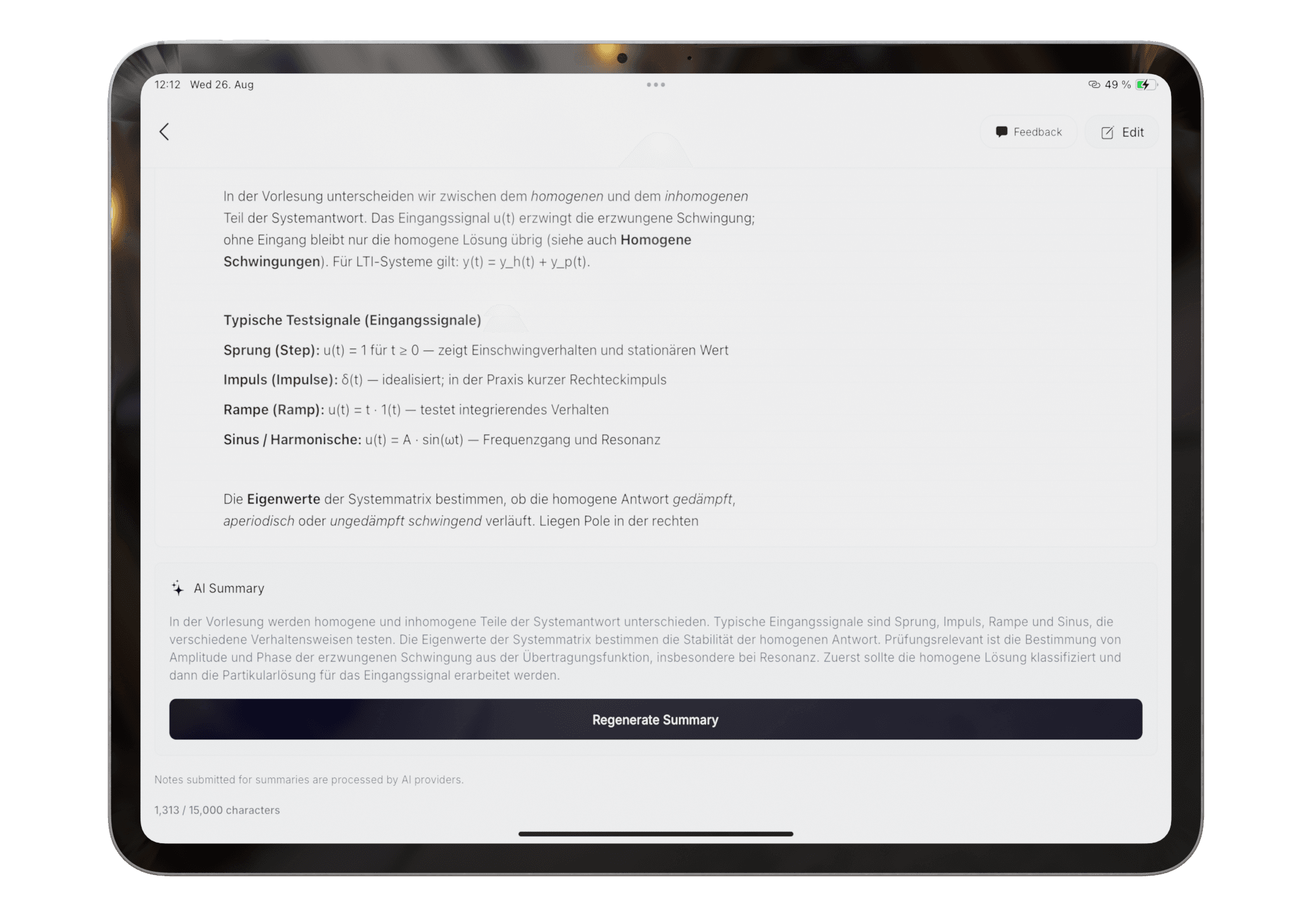
Capture class notes by typing, scanning, or drawing, then use AI to organize and summarize them in Pocket Orbit.
Read: AI Note Taking on iPad for Student WorkflowsAI can omit context or state an incorrect interpretation confidently. Keep the source available and verify anything important.
Product claims are checked against the current app. Competitor claims use dated official sources. Corrections can be sent to alpaca-labs.dev@proton.me.
feature
Capture class notes by typing, scanning, or drawing, then use AI to organize and summarize them in Pocket Orbit.
Read: AI Note Taking on iPad for Student Workflowsguide
A cautious workflow for recognizing, correcting, organizing, and summarizing handwritten class notes.
Read: How to Summarize Handwritten Notes with AIhelp
Review recognized text and fix important errors before organizing or summarizing a note.
Read: Correct Handwriting Recognitionhelp
Prepare and export organized notes after reviewing their content and summary.
Read: Export Notes from Pocket OrbitDownload Pocket Orbit from the App Store, then use the linked help articles to test it with your own notes.
