
Draw mode for iPad

Handwrite notes on iPad. Keep them useful after class.

Write with Apple Pencil, edit the original note, review recognition, organize related material, then study or export from the checked source.

Best for

  • + Students who switch between Apple Pencil, keyboard, and paper
  • + Quick class capture followed by later organization
  • + People who want a summary without rebuilding every note in folders

Not designed for

  • - Professional illustration or precision drawing
  • - Deep PDF annotation with large template libraries
  • - Guaranteed recognition of every handwriting style
Practical workflow

The process, step by step

  1. 1Choose Draw and write with Apple Pencil.
  2. 2Add typed context or scan a paper page when the format changes.
  3. 3Review recognition and correct anything important.
  4. 4Group related notes and generate a study summary.
  5. 5Export or continue studying in Pocket Orbit.

The handwriting gap

The fastest note to write can become the hardest note to use later

Handwriting preserves diagrams and spatial thinking. The problem is what happens after the page is captured.

01

Diagrams resist rigid typing

Arrows, formulas, and visual relationships often make more sense when you draw them directly.

02

Recognition needs review

Names, symbols, rushed writing, and specialist vocabulary can be misread and should be corrected.

03

A canvas is not a study system

The note still needs context, organization, and a reliable path back when revision starts.

Choose by material

Handwriting is one mode, not a constraint

Keep the spatial idea intact

Write, sketch, and connect ideas naturally with Apple Pencil.

See exact steps
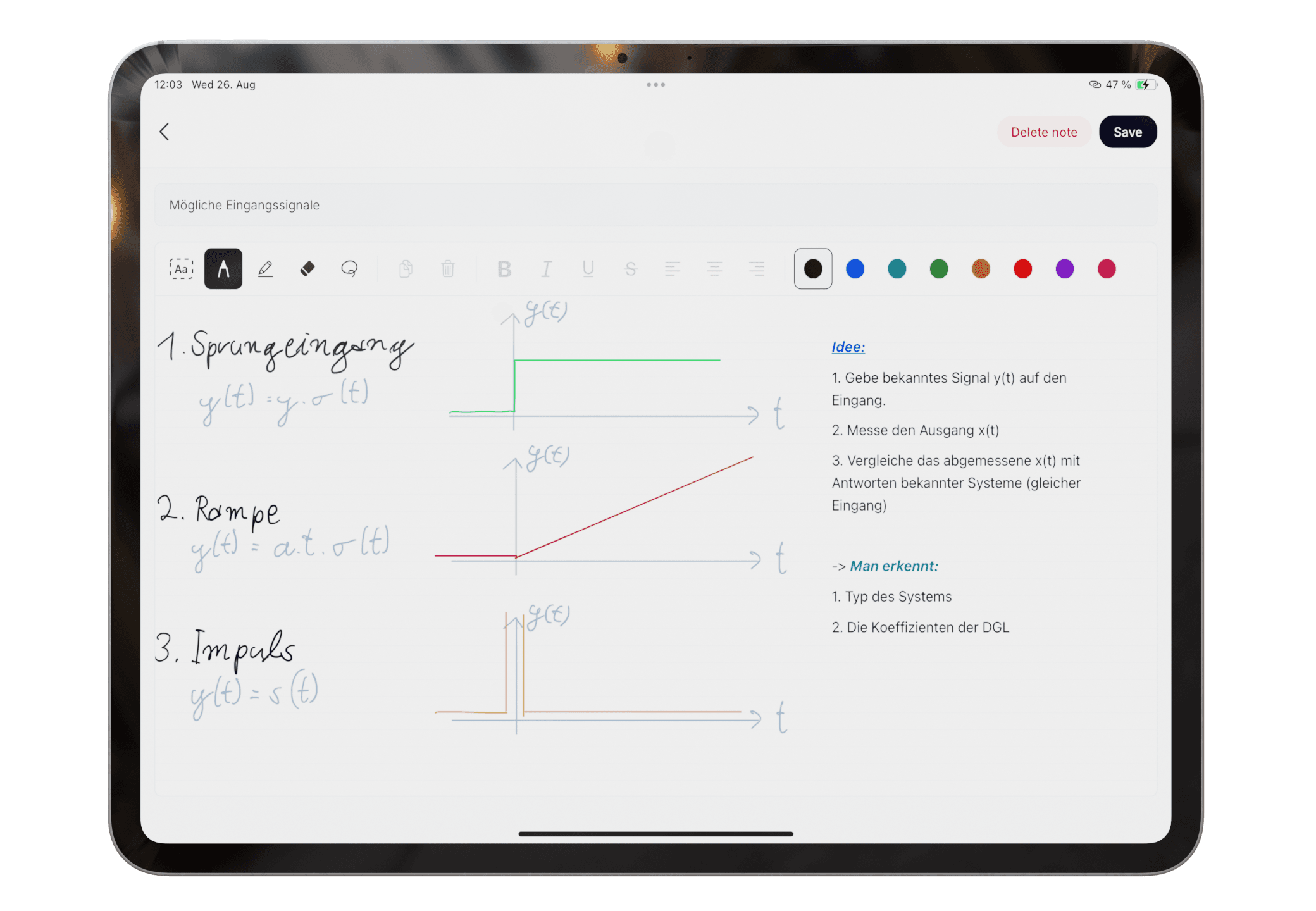
Apple Pencil handwriting in Pocket Orbit

Visible product proof

Move from handwritten capture to material you can review

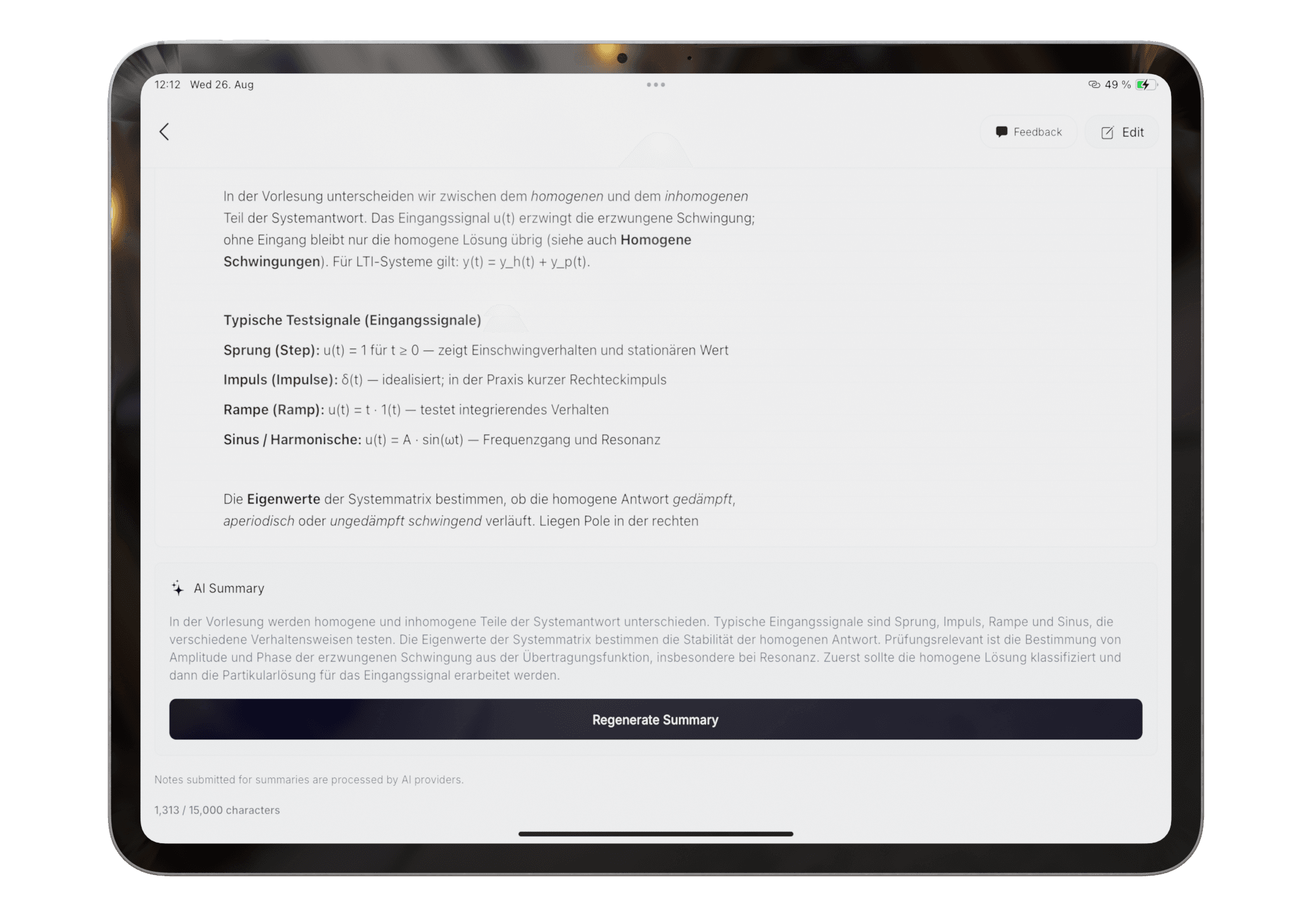
Review important recognition first. Then group the note with related material and generate a summary from the checked source.

  • Original note remains part of the workflow
  • Correction is expected for ambiguous handwriting
  • Summaries should be checked against the source
Read the exact help steps
A study summary generated from notes in Pocket Orbit
Questions

Frequently asked questions

Can I use Apple Pencil in Pocket Orbit?

Yes. Draw is a dedicated input mode for handwriting with Apple Pencil on a compatible iPad.

Does Pocket Orbit replace Goodnotes or Notes+?

Not for every workflow. Pocket Orbit emphasizes mixed-input capture, automatic organization, and summaries. Goodnotes and Notes+ may suit people prioritizing notebook, template, or PDF-centric workflows.

Can handwriting recognition make mistakes?

Yes. Handwriting, lighting, specialist terms, and image quality can affect recognition. Review important text before generating or relying on a summary.

Editorial trust

Sources, method, and update policy

Product claims are checked against the current app. Competitor claims use dated official sources. Corrections can be sent to alpaca-labs.dev@proton.me.

Keep going

for students

Pocket Orbit for Students

Type, scan, or handwrite class notes on iPad, then organize and summarize the material you need to study.

Read for students

feature

Apple Pencil Drawing App for Notes and Diagrams

Draw handwritten notes, sketches, formulas, and diagrams on iPad with Apple Pencil, then recognize, organize, summarize, or export them.

Read feature

hub

Handwritten Notes on iPad: Workflows, Tests, and Guides

Learn when to type, scan, or draw notes on iPad and how to turn mixed inputs into organized study material.

Read hub

guide

How to Take Handwritten Notes on iPad with Apple Pencil

A practical Apple Pencil note-taking workflow for handwriting, diagrams, correction, organization, and study review on iPad.

Read guide

guide

How to Convert Apple Pencil Handwriting to Text

Convert Apple Pencil handwriting to text with a correction-first workflow that keeps the original handwritten note available for review.

Read guide

guide

Handwritten Lecture Notes on iPad: A Reviewable Workflow

Use Apple Pencil, typed context, and scanned material together for handwritten lecture notes that remain reviewable after class.

Read guide

Try the Type, Scan, and Draw workflow

Download Pocket Orbit from the App Store, then use the linked help articles to test it with your own notes.

Download Pocket Orbit on the App Store