
feature
Apple Pencil Note-Taking App for Handwritten Notes
Handwrite notes on iPad with Apple Pencil, then review, recognize, organize, study, or export them in Pocket Orbit.
Read: Apple Pencil Note-Taking App for Handwritten NotesUse the Write canvas when handwriting, formulas, arrows, or a quick diagram preserve the idea better than a keyboard. Pocket Orbit supports note drawing with Apple Pencil rather than professional illustration, brush collections, templates, or deep PDF markup.
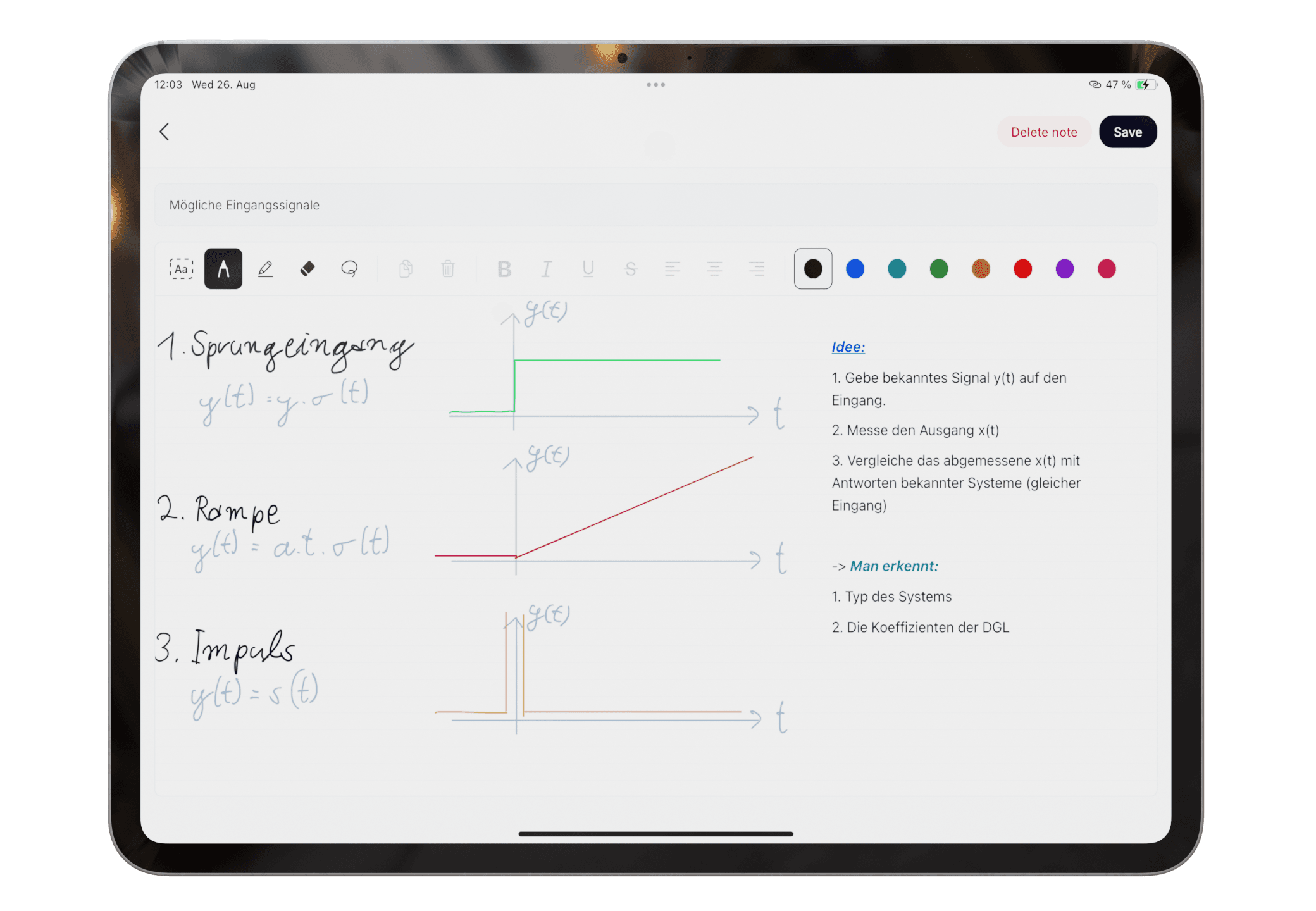
Use pen colors, eraser, lasso selection, undo and redo while you work. Finger scrolling keeps navigation separate from writing, and the original handwritten note remains the reference when recognition needs correction.
A diagram note can sit beside typed context or a scanned worksheet. After review, organize related material, create a study summary from the checked source, or export what you need.
Yes. Pocket Orbit Write supports handwritten notes, formulas, arrows, sketches, and diagrams with Apple Pencil. It is not positioned as a professional illustration app.
Yes. Use Write for Apple Pencil handwriting and note drawing, then review the original and any recognized text before organizing, summarizing, or exporting it.
Product claims are checked against the current app. Competitor claims use dated official sources. Corrections can be sent to alpaca-labs.dev@proton.me.
feature
Handwrite notes on iPad with Apple Pencil, then review, recognize, organize, study, or export them in Pocket Orbit.
Read: Apple Pencil Note-Taking App for Handwritten Noteshub
Learn when to write or scan notes on iPad and how to turn mixed material into organized study material.
Read: Handwritten Notes on iPad: Workflows, Tests, and Guideshelp
Use Write for Apple Pencil handwriting in Pocket Orbit on a compatible iPad.
Read: Draw Notes with Apple Pencilguide
Convert Apple Pencil handwriting to text with a correction-first workflow that keeps the original handwritten note available for review.
Read: How to Convert Apple Pencil Handwriting to Textguide
Make handwritten notes easier to find by combining reviewable recognition, clear titles, related groups, and source-first study habits.
Read: How to Make Handwritten Notes Searchable on iPadguide
Export handwritten notes to PDF after you review the original, correct important recognition, and choose the material that belongs together.
Read: How to Export Handwritten Notes to PDF on iPadDownload Pocket Orbit from the App Store, then use the linked help articles to test it with your own notes.
