
feature
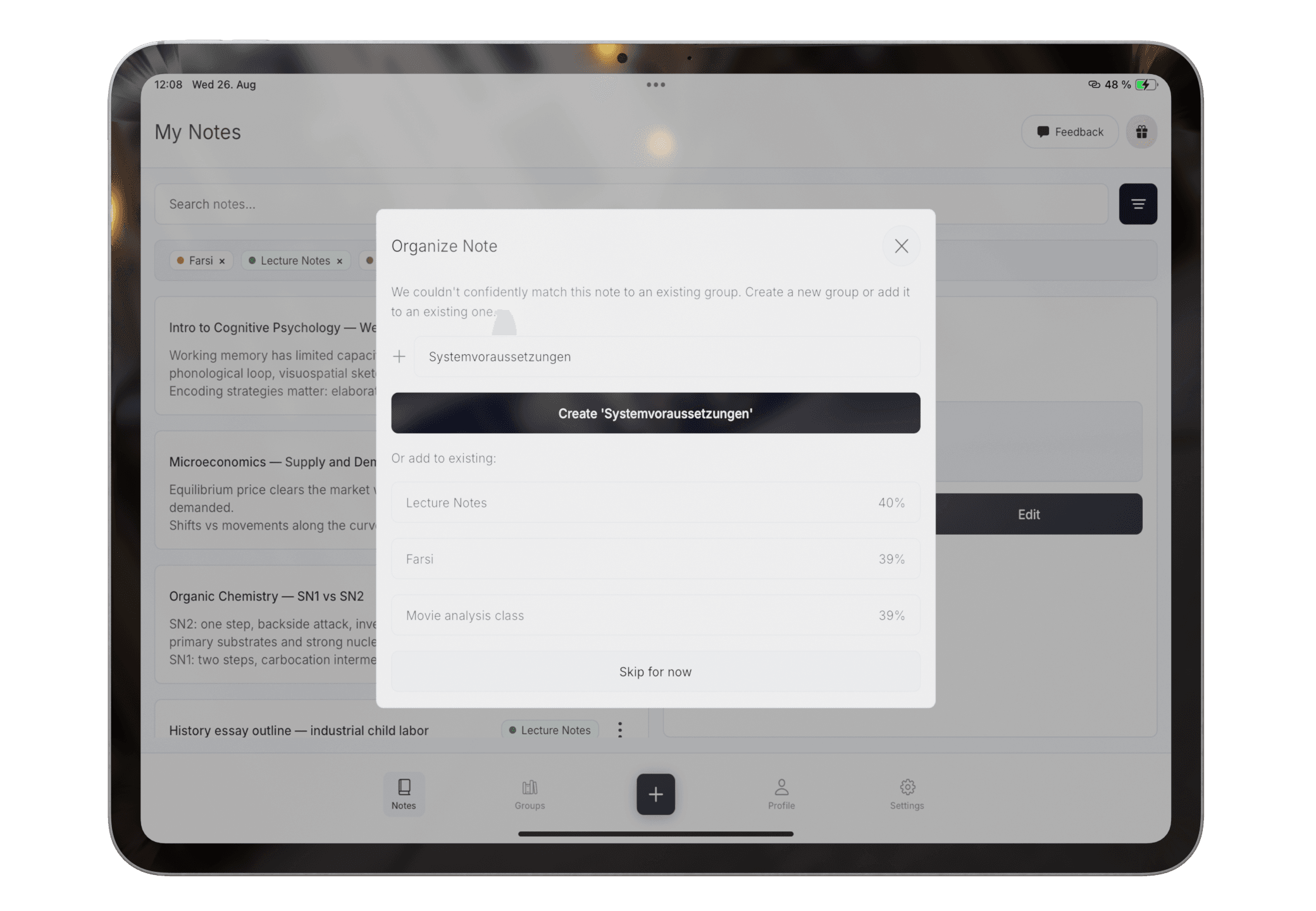
Automatic Note Organization for Messy Class Notes
Turn mixed class notes into suggested groups and summaries without building a complex folder system first.
Read: Automatic Note Organization for Messy Class NotesA short note may fit several subjects. Add clearer wording or manually correct the group rather than assuming the first suggestion is final.
Product claims are checked against the current app. Competitor claims use dated official sources. Corrections can be sent to alpaca-labs.dev@proton.me.
feature
Turn mixed class notes into suggested groups and summaries without building a complex folder system first.
Read: Automatic Note Organization for Messy Class Noteshelp
Use text and Apple Pencil work on one canvas, then add scanned paper to the same study workflow.
Read: Use Writing, Drawing, and Scans Togetherhelp
Generate a summary from reviewed notes and check it against the original material.
Read: Create and Review an AI Note Summaryresource
A lightweight weekly checklist for reviewing, grouping, summarizing, and exporting student notes.
Read: Weekly Note Organization ChecklistDownload Pocket Orbit from the App Store, then use the linked help articles to test it with your own notes.
