
Pocket Orbit for Mac
Local AI for Your Markdown Vault
Bring a copied Markdown folder into a local workspace. Start with one note and check what survives.
Your local workspace. Your own files. Availability →
Local files. A workspace of your own.
App interface with example contentThe Pocket Orbit workflow
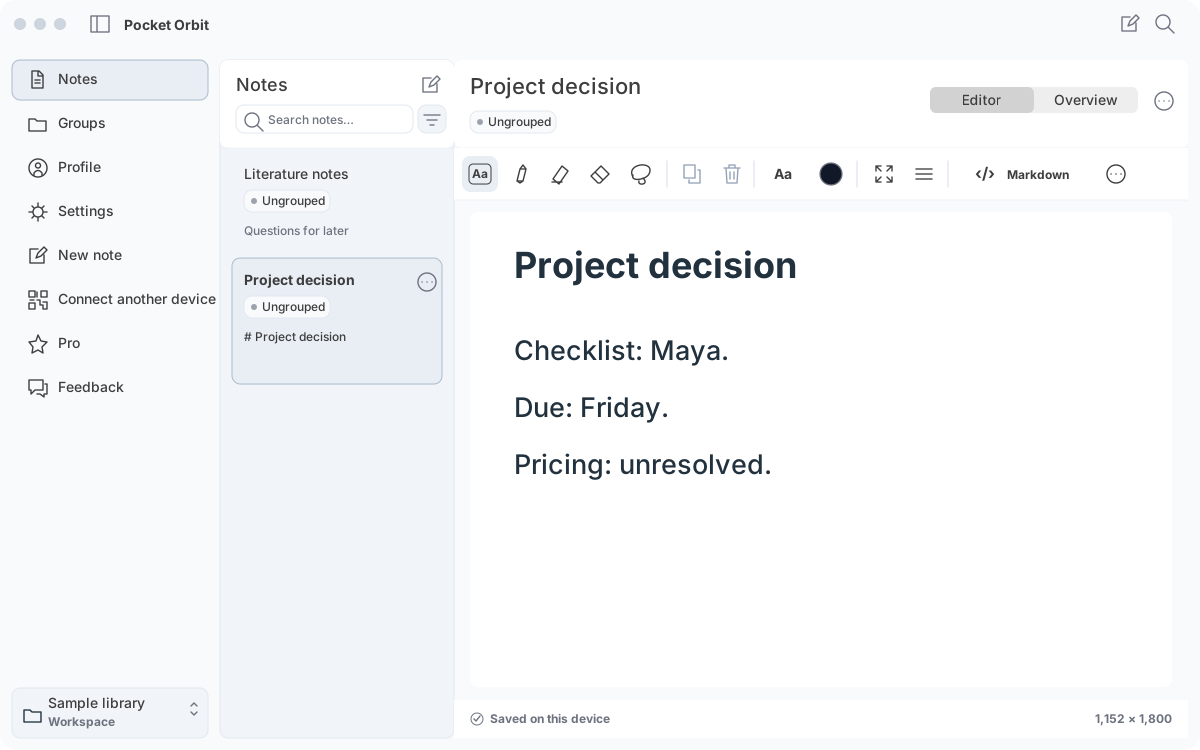
Own the useful part of the work.
Markdown files remain readable in other editors.
Workflow and details
Markdown files remain readable in other editors. Handwriting, textbox positions and document appearance need companion data; a plain text file cannot carry every canvas detail.
Portability means explaining what travels, what remains app-specific and how to keep both together. It does not mean that every editor can modify Pocket Orbit ink.
Work alongside an Obsidian vault.
Obsidian stores Markdown notes in a local folder.
Workflow and details
Obsidian stores Markdown notes in a local folder. Pocket Orbit’s direction is to work with a chosen folder rather than requiring a separate export after every edit.
Test a copy first. Properties, links, block references, attachments and relative paths need exact round-trip checks. A working sample is not a promise about every plugin, provider or vault size.
Use a selected source set.
A vault is not permission to turn every file into a prompt.
Workflow and details
A vault is not permission to turn every file into a prompt. Select the note or group relevant to your task, keep unrelated material apart and review the shorter result.
Local AI and local file ownership solve different parts of the workflow. Model downloads, optional sync and device requirements still deserve explicit documentation.
Make changes recoverable.
Keep a backup before adopting an existing folder.
Workflow and details
Keep a backup before adopting an existing folder. Readable source, companion files and linked assets belong together when a note is copied or archived.
If another editor changes the same note, preserving both versions is more useful than silently choosing a winner. Missing folder access should lead to explicit recovery.
Start with a synthetic sample.
The sample vault contains authored Markdown, properties, links and an attachment.
Workflow and details
The sample vault contains authored Markdown, properties, links and an attachment. It is a safe practice set for inspecting file behaviour, not a benchmark or a generated AI result.
It deliberately contains no Pocket Orbit ink companion. Editable ink compatibility must be shown with actual reviewed application output.
Requirements and limitations
Mac access is included with Mobile + Mac Pro. Choose a supported local model for your device and keep a separate backup of your workspace.
Start with one note task, not an assumed vault-wide answer
“AI for a Markdown vault” can mean very different things: chat across every file, a plugin connected to a hosted service, or a supported task on selected notes.
Workflow and details
“AI for a Markdown vault” can mean very different things: chat across every file, a plugin connected to a hosted service, or a supported task on selected notes. This workflow covers the selected-note job. It does not establish automatic retrieval, citations or support for every Obsidian plugin.
Copy a small workspace, inspect the source and keep a review rubric before running the task. If you need a graph, plugin or another app’s retrieval system, retain that workflow and test Pocket Orbit alongside it.
Check the Pro offer.
Mobile + Mac Pro includes your Mac workspace. Compare billing periods and trial eligibility on the pricing page; confirm your regional price in the app.
Best for
- + Your own notes and checkable tasks
- + Markdown files on a supported device
Not designed for
- - Automatic retrieval across an entire workspace
- - Unreviewed results or universal plugin compatibility
Sources and editorial review
Written and reviewed by the Pocket Orbit Product Team · Updated October 18, 2026
Editorial trustSources, method, and update policy
Product claims are checked against the current app. Competitor claims use dated official sources. Corrections can be sent to alpaca-labs.dev@proton.me.
Continue this workflow
Try one small, checkable workflow
Start with the sample workspace and check the requirements for your Mac.