
tool
Local release preview
PDF conversion preservation method
Inspect the source-preservation contract, fixture coverage and the limits of local text extraction and OCR.
Written and reviewed by the Pocket Orbit Product TeamUpdated October 18, 2026
Recognize, preserve, review
- Compare the real source and editable result before continuing.
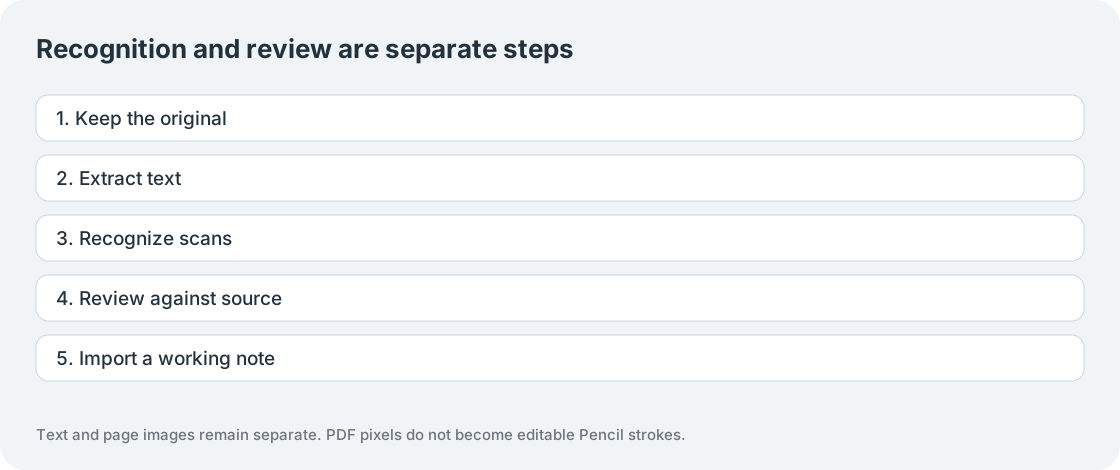
Method, not a quality certificate
This page describes an inspectable conversion method. Hardware performance and recognition quality require independently reviewed results. No zero-case record or successful interface check establishes production readiness.
Preservation contract
Hash the original before and after conversion. Render selected pages as PNGs, extract positioned text or recognize rendered images, record page number/method/review flags, and package relative references with checksummed assets. Import validates paths, file kinds, versions, expanded sizes and checksums before an atomic journal commit.
Fixture matrix
Test digital text, image-only scans, mixed pages, rotation, columns, tables, diagrams, handwriting, equations, Unicode and each supported recognition language. Include password failure, malformed input, forms, annotations, resource limits, cancellation and retry. A failed page or unsupported form must be reported; retaining the original does not mean its transcription was successful.
Record denominators and counterexamples
Record attempted, completed, failed, cancelled and skipped cases. Keep automatic preservation checks separate from independently reviewed extraction. Score omissions, reading order, negation, numbers/dates and recognition substitutions. OCR errors and generation errors belong to separate tasks. Publish the fixture/build/date and review count with any results.
Network and engine boundaries
Browser workers, fonts and recognition data are served locally from the website origin; downloaded once for the session as required. Document bytes and passwords remain browser state. Apple parsing and Vision use device APIs. Review form/signature appearances against the unchanged PDF. Neither engine guarantees perfect layout, faithful mathematics or editable handwriting reconstruction.
Sources and editorial review
Written and reviewed by the Pocket Orbit Product Team · Updated October 18, 2026
Editorial trustSources, method, and update policy
Product claims are checked against the current app. Competitor claims use dated official sources. Corrections can be sent to alpaca-labs.dev@proton.me.
Continue with a checkable task
Keep originals, review the result and check platform requirements before continuing.
Keep going
Related evidence and next steps
feature
PDF material in your Pocket Orbit workspace
Explore workflow →guide
PDF to Markdown with images: a worked example
Explore workflow →tool
Local Markdown structure inspector
Explore workflow →feature
Markdown editor for your local notes
Explore workflow →Try one small, checkable workflow
Start with the sample workspace and check the requirements for your Mac.