
tool
Evidence-gated draft: this page is noindex until the required proof is published.
Local release preview
Import PDF material into a workspace
Choose a PDF or portable conversion ZIP, review it and retain source-linked Markdown safely.
Your local workspace. Your own files. Availability →
Written and reviewed by the Pocket Orbit Product TeamUpdated October 11, 2026
Source, correction and a working note
Actual browser and Mac interfaces with original synthetic teaching material.
Pocket Orbit01 / 05
01
Before importing
Use a copied workspace and check Mac Pro access. Direct PDF conversion is local PDFKit/Vision; browser ZIP conversion uses PDF.js/Tesseract. Their text can differ. Neither invokes a generative model during conversion.
02
Mac controls
Choose Import Markdown… → a PDF. Choose pages (for example 1-3,5), password if required, recognition language and optional OCR for all pages. Convert, review the text and choose Import working note. Select the downloaded ZIP through the same chooser for browser continuation. Current UI labels are implementation references; release captures and mobile UI review are separate gates.
03
What is imported
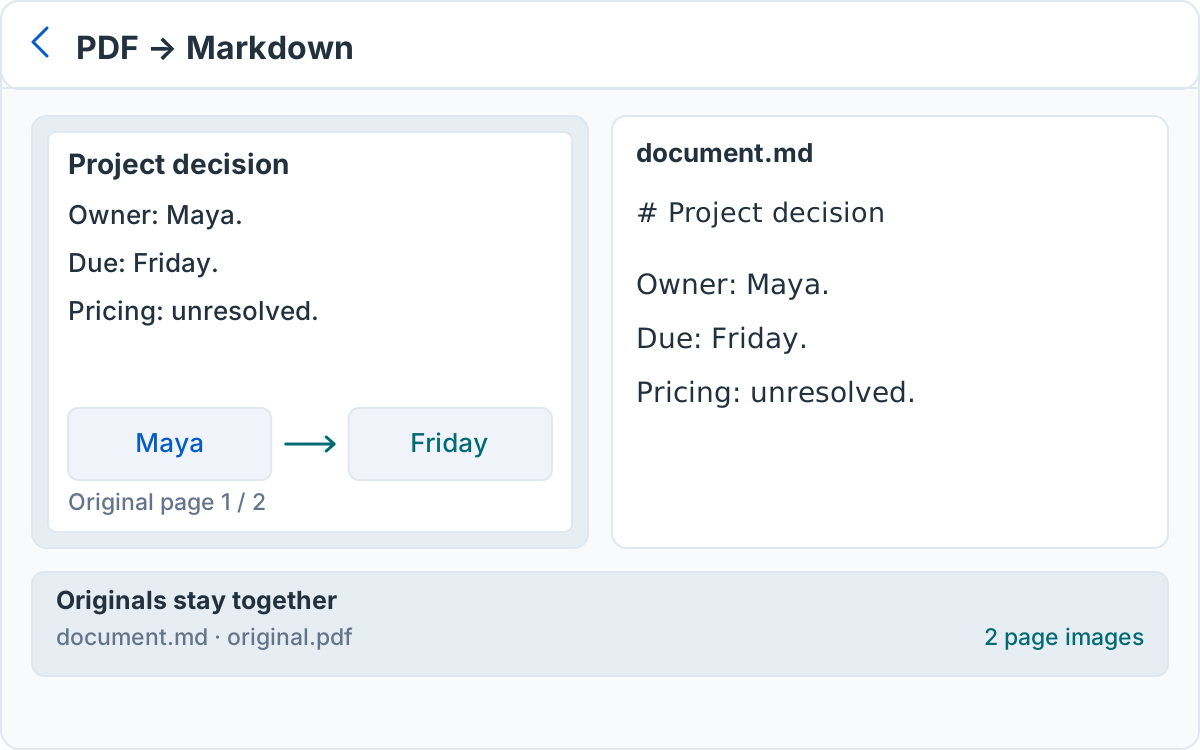
One source-linked working note contains page sections, editable transcription and relative links. Original PDF bytes and page images are copied to workspace attachments. The versioned manifest retains page mapping, extraction method and review flags. This package does not recover editable Pencil strokes from PDF pixels.
04
When something goes wrong
A wrong password, malformed PDF, unsupported package version, missing asset or checksum mismatch stops the import. Use fewer pages for size/resource failures. Keep the source and retry. Expired Mac access uses the full paywall; restore access before a new import. Existing external files remain available.
05
Cancellation and repeated import
Cancel before confirming import to leave the workspace unchanged. Accepted writes use the existing guarded journal. Importing the same unchanged ZIP again is idempotent and retains subsequent edits. Different conversions are separate packages; review before creating another working note.
Sources and editorial review
Written and reviewed by the Pocket Orbit Product Team · Updated October 11, 2026
Editorial trustSources, method, and update policy
Product claims are checked against the current app. Competitor claims use dated official sources. Corrections can be sent to alpaca-labs.dev@proton.me.
Continue with a checkable task
Keep originals, review the result and check platform requirements before continuing.
Keep going
Related evidence and next steps
feature
Markdown editor for your local notes
Explore workflow →Try one small, checkable workflow
Start with the sample workspace and check the requirements for your Mac.