
tool
A practical walkthrough
PDF to Markdown with images: a worked example
Convert a sample PDF, correct its Markdown and keep the original pages. A practical exercise you can repeat.
Your local workspace. Your own files. Availability →
Written and reviewed by the Pocket Orbit Product TeamUpdated October 18, 2026
Check the text. Keep the pages and original PDF.
Illustrated app workflow · example contentSource, correction and a working note
Actual browser and Mac interfaces with original synthetic teaching material.
Pocket Orbit01 / 05
01
Start with a source you can inspect
Download the original Pocket Orbit PDF exercise. It contains a project decision, a diagram and a visually preserved page. Keep the source unchanged. The teaching example is synthetic and contains no measured model output.
02
Choose and convert
In the converter choose the PDF, select pages 1-2 and English. Inspect PDF, then Convert selected pages. Digital text is tried first; choose Recognize all pages to compare OCR. Cancellation discards an unfinished conversion; retry with a smaller page range if resources run out.
03
Check three facts before keeping the text
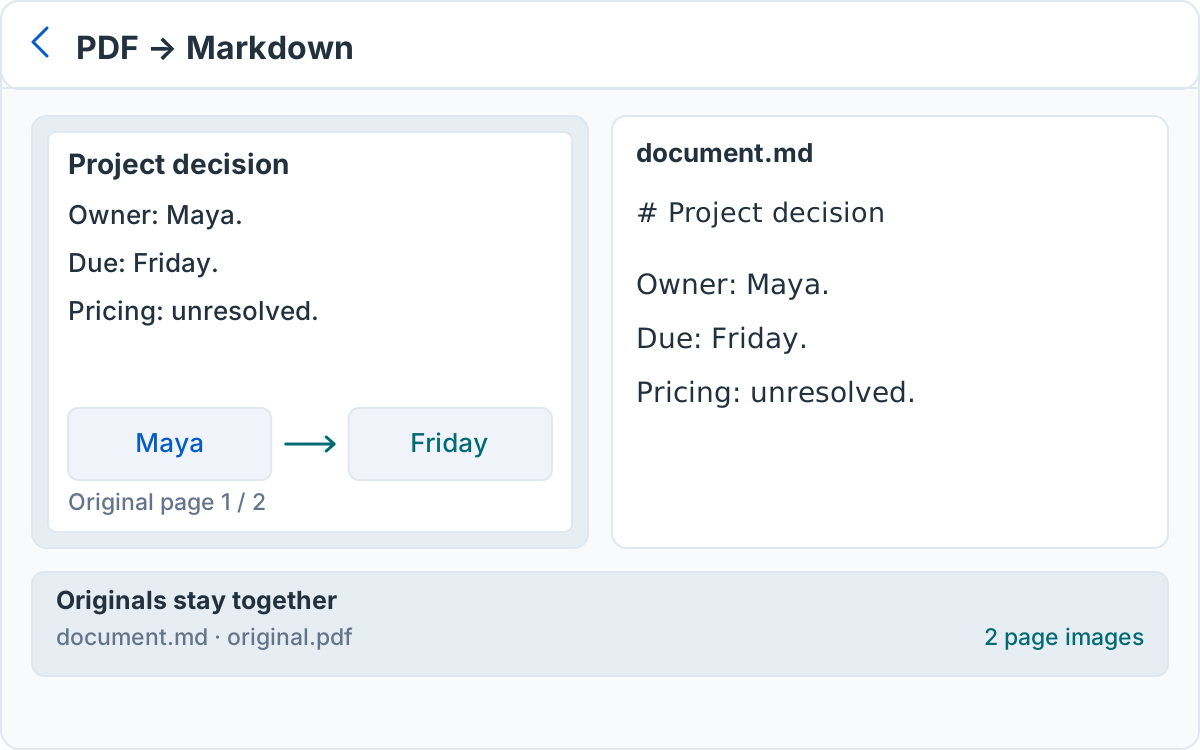
Maya owns the release checklist. The deadline is Friday. Pricing remains unresolved: do not turn that sentence into an approved price or a new commitment. Compare the diagram and every page number with the retained images. Recognition and extraction can alter words or order.
04
Keep images and originals together
Correct the Markdown in the editor, preserving generated relative links. Download Markdown + originals and unpack the ZIP. Open document.md in a plain editor. Confirm sources/original.pdf is unchanged and pages/page-0001.png and page-0002.png exist. Copying text alone leaves those attachments behind.
05
Import and recover
Open the browser ZIP in Pocket Orbit or another Markdown editor. Keep document.md, page images and the original PDF together. Check the transcription against the source and correct poor recognition manually.
Sources and editorial review
Written and reviewed by the Pocket Orbit Product Team · Updated October 18, 2026
Editorial trustSources, method, and update policy
Product claims are checked against the current app. Competitor claims use dated official sources. Corrections can be sent to alpaca-labs.dev@proton.me.
Continue with a checkable task
Keep originals, review the result and check platform requirements before continuing.
Keep going
Related evidence and next steps
feature
Markdown editor for your local notes
Explore workflow →Try one small, checkable workflow
Start with the sample workspace and check the requirements for your Mac.