
Local launch preview
Set up local AI before your first task
Check the supported model and device, finish setup, then try a small reviewed result.
Your local workspace. Your own files. Availability →
The Pocket Orbit workflow
Check your device and access
On Mac, use an active Pro entitlement and the device/build requirements listed on the compatibility page. Trial eligibility is determined by StoreKit. Mobile access policy is still under research in this preview.
Open Processing
Open Settings → Processing. Read the task list and model status. A text-only setup does not establish handwriting recognition support. Choose a supported model for the task and your device.
Prepare the supported setup
When a qualified setup is offered, use its download or supported import control. Check available storage and wait for file verification. If a checksum or matching-model error appears, use the stated recovery action. You can continue ordinary editing while setup finishes, subject to platform access.
Try one small summary
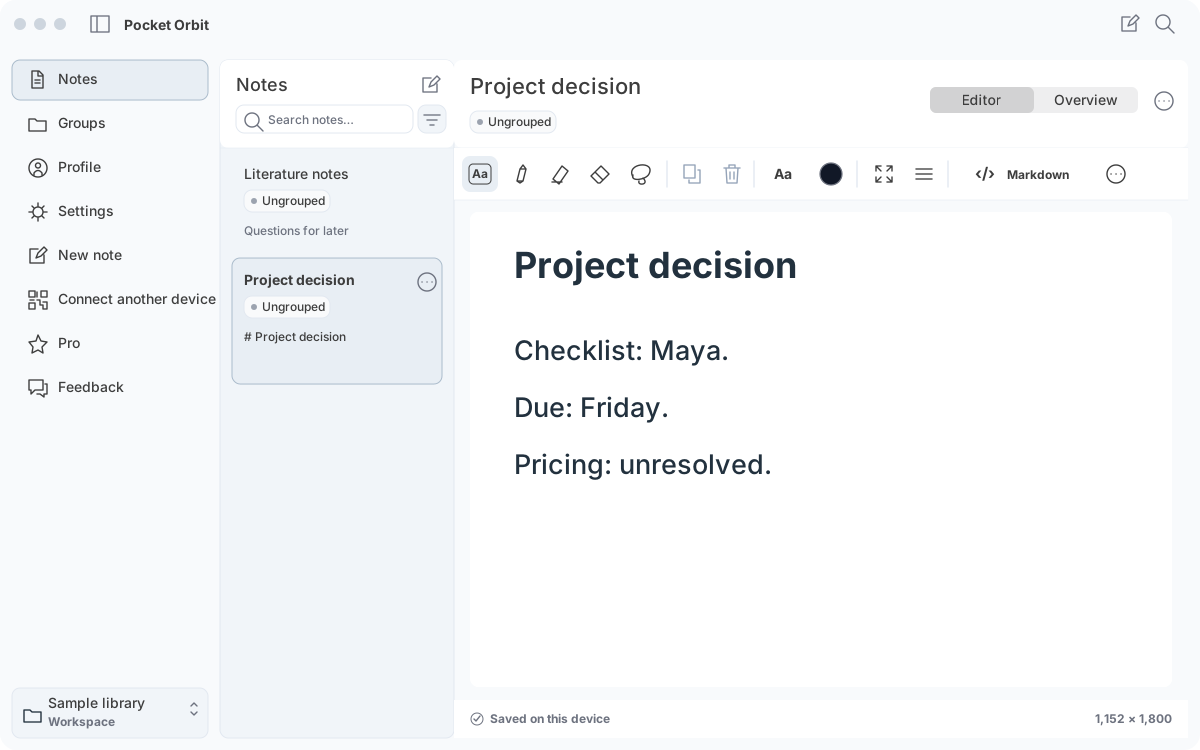
Open Project decision from the sample. Open Overview → Summary and use the available Generate summary control. Review Maya, Friday and the unresolved pricing question. The demonstration uses a manually supplied teaching summary; it does not establish model quality.
If Processing is not ready
Keep editing manually. Do not repeatedly run a task that the app marks unavailable. If setup fails, check storage, retry the supported download or choose the matching supported file. Keep the original note.
Sources and editorial review
Written and reviewed by the Pocket Orbit Product Team · Updated October 11, 2026
Editorial trustSources, method, and update policy
Product claims are checked against the current app. Competitor claims use dated official sources. Corrections can be sent to alpaca-labs.dev@proton.me.
Try one small, checkable workflow
Start with the sample workspace and check the requirements for your Mac.