
A practical walkthrough
Organize literature notes with their sources
Separate your observation, source reference and open questions in a small note set.
Your local workspace. Your own files. Availability →
Source, interpretation and question stay distinct.
Illustrated app workflow · example contentThe process, step by step
- 1Start with one passage
- 2Link it to a topic
- 3Expected result
- 4Review and recovery
The Pocket Orbit workflow
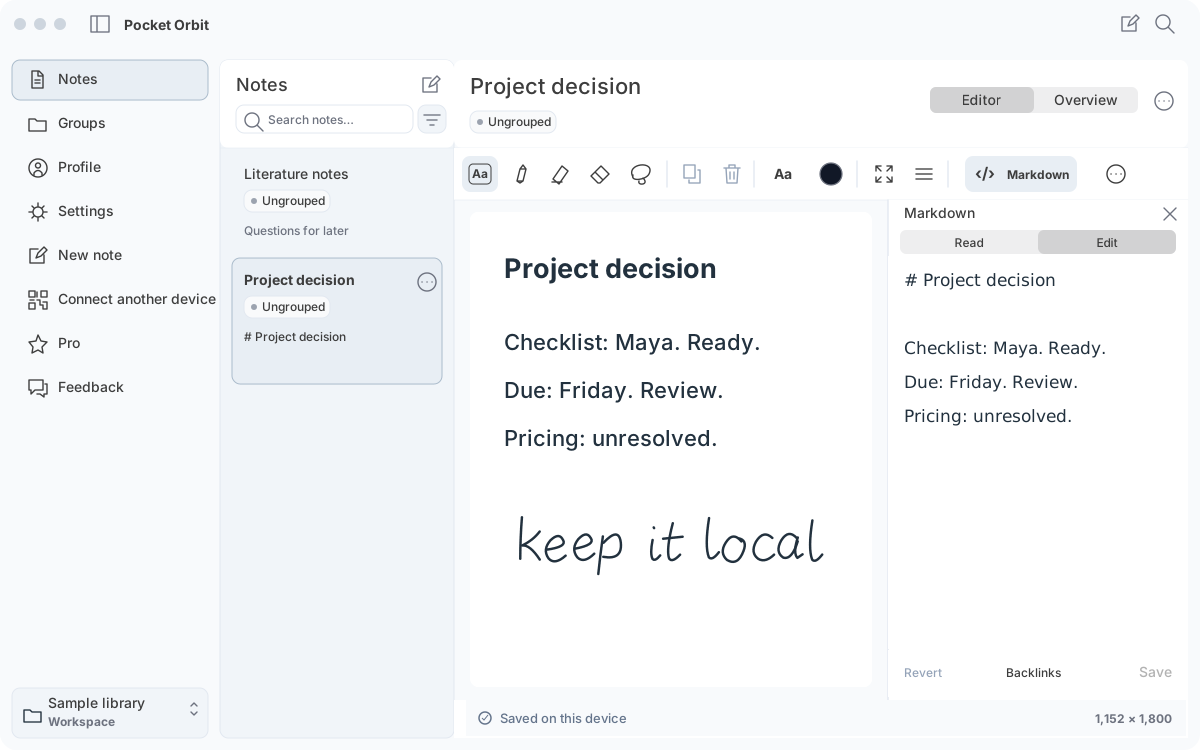
Start with one passage
Use the literature/source worksheet. Record the source URL or identifier and the exact passage location. Write your own paraphrase in a separate field. Use the open-question field for interpretation you still need to check.
Link it to a topic
Open the note in Markdown and add a relative link to your topic note. Save and inspect Read. Open the source yourself and compare your paraphrase with the passage. The structure inspector lists references but cannot confirm their targets exist.
Expected result
You should be able to distinguish source material, your observation and uncertainty without opening a separate AI chat. Reopen the note in your other Markdown editor and check that the identifier and passage location remain intact.
Review and recovery
Do not accept a generated reference as a verified citation. If a paraphrase changes the meaning, edit it against the original or restore your copy. Use dedicated bibliography software for citation styles, reference databases and specialist PDF workflows.
Keep quotation, interpretation and question apart
Use the original worksheet fields: source/location, exact quotation, your interpretation and open question. For an authored source saying pricing remains unresolved, an interpretation saying a price was approved is unsupported. Correct the interpretation and retain the source location. This teaches source separation; it does not supply automatic citations or a bibliography manager.
Sources and editorial review
Written and reviewed by the Pocket Orbit Product Team · Updated October 18, 2026
Editorial trustSources, method, and update policy
Product claims are checked against the current app. Competitor claims use dated official sources. Corrections can be sent to alpaca-labs.dev@proton.me.
Continue this workflow
Try one small, checkable workflow
Start with the sample workspace and check the requirements for your Mac.